
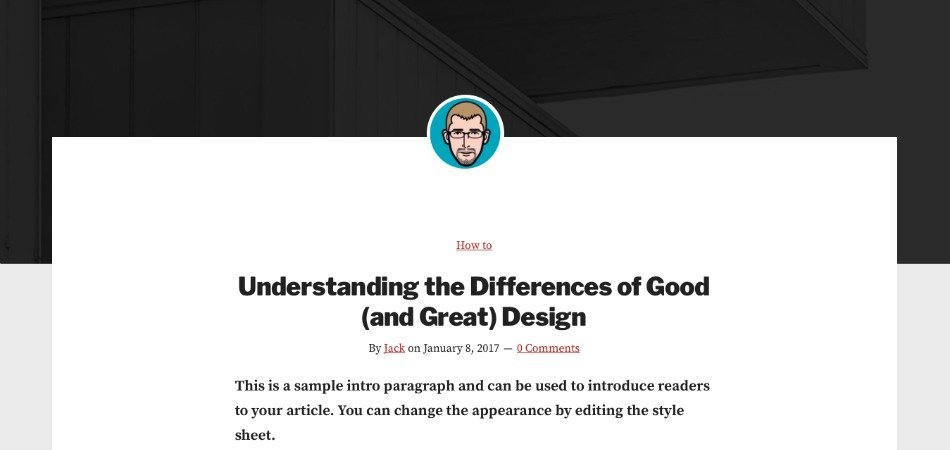
Monochrome Pro is one of the recent Genesis themes released by StudioPress, which has a pretty neat and minimalistic design focused on content.
The hero image at the top and the author avatar above the entry title offer your article a clean appearance.
Recently, I wanted to replicate the same design on Genesis Sample. So, here’s the code:
Step #1: Display Hero Image on Single Posts
Step #2: Display Author Avatar above the Entry Title
Step #3: Add CSS to Jazz it Up
Display Hero Image on Single Posts
https://gist.github.com/topleague/4ea187b24eb197dd3f7819621bbd90f0
Display Author Avatar above the Entry Title
https://gist.github.com/topleague/ad0c12d674f96b7b3ac9f5634dc3181a
Add CSS to Jazz it Up
https://gist.github.com/topleague/3ebfa3b16e54c345e5910585760d36a9
Note: You need to go to Genesis Theme Settings page and choose full-width layout for this to work.
That’s it! Now, reload your blog posts and give yourself a pat in the back!
If you are unable to find the desired results or simply have any questions on this, feel free to leave a comment.