
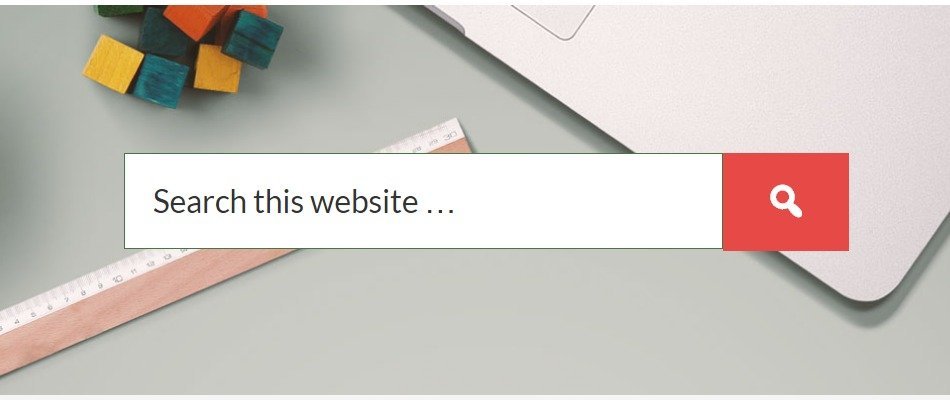
The Search form is a key component of every modern website. It allows your site visitors to find their desired content.
The location of search form can be anywhere depending on the design of your website. However, most of the Genesis themes tend to display search form on header and/or primary sidebar.
This tutorial is particularly inspired by the blog design of Society of Grownups.
They have a search form below page title with a background image, which not only looks neat and but is attractive enough for visitors to use it more easily.
Here’s the screenshot of their blog header section.
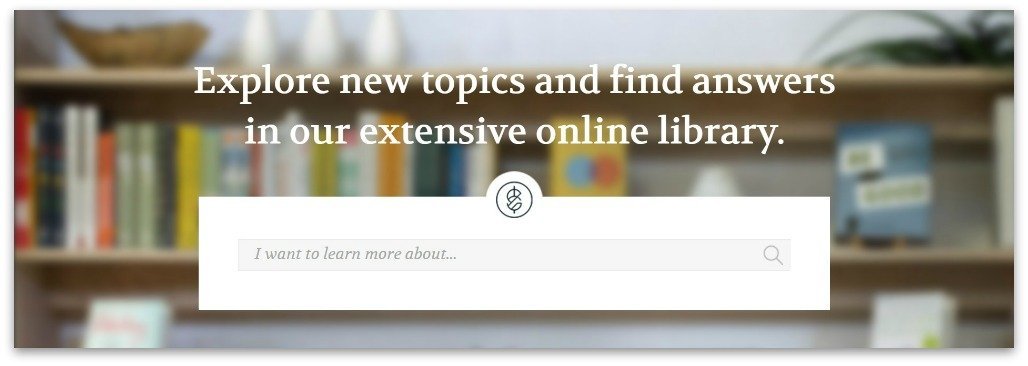
In this tutorial, I’ll share the code to replicate a similar style on any Genesis theme.
Before we begin, here’s small reminder.
A couple of weeks ago, I shared a tutorial on displaying manual excerpts below page titles in Genesis.
You can consider this tutorial as an extension of that because of the location they share.
Show Me the Code
In order to accomplish the goal, we will need the following:
- Step #1: Add support for page excerpts
- Step #2: Add excerpt to pages conditionally
- Step #3: Use get_search_form function conditionally
- Step #4: Add support for dashicons
- Step #5: Add a glass icon to your search button.
- Step #6: Add CSS
Ok, so let’s go get this done.
Step #1: Add the following code to your functions.php file. Note: The following code adds excerpt support to pages and output it on pages.
Step #2: Add the following code to your functions.php file. Note: The following code removes the default entry-header and replaces it with an excerpt.
Step #3: Add the following code to your functions.php file. Note: The following code adds a search form below the excerpt title on blog header.
Step #4: Add the following code to your functions.php file. Note: The following code enqueue Dashicons (Optional). Avoid this step if your theme already has dashicon support.
Step #5: Add the following code to your functions.php file. Note: The following code adds a glass icon to your search button.
https://gist.github.com/topleague/d527444f445b9c0b0ae76a08102e9b8e
Step #6: Add CSS (as needed)
https://gist.github.com/topleague/8abe7286d517788c314883d0b96fc05d
Note: If you don’t want to show a title above the search form on your blog page, simply remove (or comment out) line 13 from Step #3
Hope you find this useful. Please, let me know if you have any questions.