
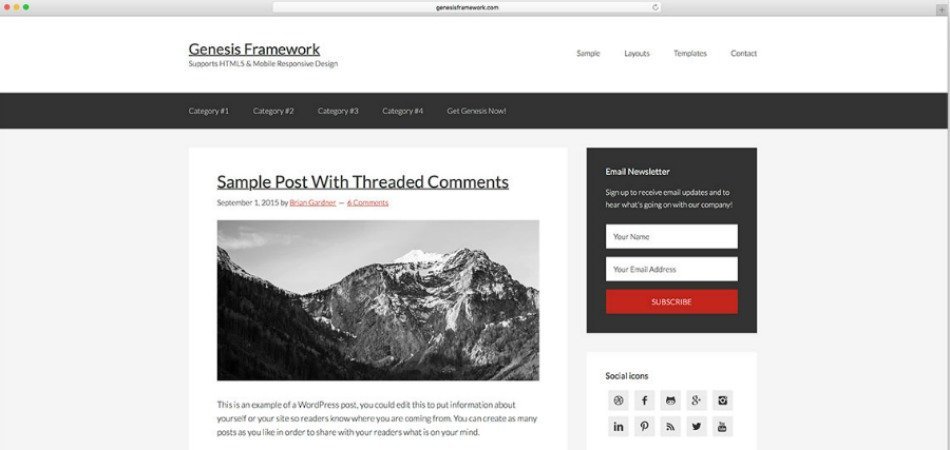
Genesis Framework is one of the most popular WordPress theme frameworks around, thanks to its awesome features such as customization, SEO-friendly, clean code and excellent support groups. When you buy Genesis Framework, you get the framework as well as access to Genesis Sample child theme theme. Besides, you choose from a wide range of themes boasting useful features that make building a website easy and quick.
However, if you want to build your own Genesis sample theme instead, you might want to customize Genesis Sample theme.
This guide will help you change the default features of the Genesis Sample child theme and add new features via functions.php.
So, let’s take a look.
Customize the Footer Text in Genesis Sample Theme
Genesis Sample child theme shows the footer info of StudioPress. This code helps you modify it and enter your own information in the footer area. To modify the footer text, add the following code to your functions.php.
https://gist.github.com/topleague/7619444c53dc46376c42592441a33767
Customize the Post Info Conditionally on Home Page and Single Post in Genesis Sample Theme
Genesis sample theme is designed to show the post info (post date, author name, post date and comments) in a certain way. The following code will help you modify it and customize the post info as per your needs. All you have to do is use one of the Genesis hooks, filters and short codes available in their repository.
https://gist.github.com/topleague/772e723532464da8ee6df048c5e0bf74
Relocate Featured Image to the Top of Post in Genesis Sample Theme
Genesis Sample theme doesn’t display the featured image in single posts. However, you can change that behavior with the following code.
https://gist.github.com/topleague/30ee5499fbfb5a246e6ff65f5a93642a
Remove the Heading on Blog Template in Genesis Sample Theme
Genesis Sample theme has a heading in its blog template. However, it doesn’t have much use apart from stating it’s a blog template. If you want to remove it, use the following code.
https://gist.github.com/topleague/2ad52c6d434962267eb4239294c7a0ef
Customize Entry Meta (Filed Under and Tagged Under)
Genesis Sample theme shows entry meta (categories and tags) at the entry footer i.e at the end of the post. You want to customize the text using Genesis filters in the following way.
https://gist.github.com/topleague/d6f6d8fa52b56570f98e3777cde453f6
There are many ways to customize Genesis sample theme and it all depends on the kind of functionalities you want to add to your theme. I’ll continue to update this post from time to time.
Please, let me know if you have any questions.
Note: I’ve used my functions names and ids. You might want to change them as you see appropriate.
Comments
One response to “5 Ways to Customize Genesis Sample Theme”