
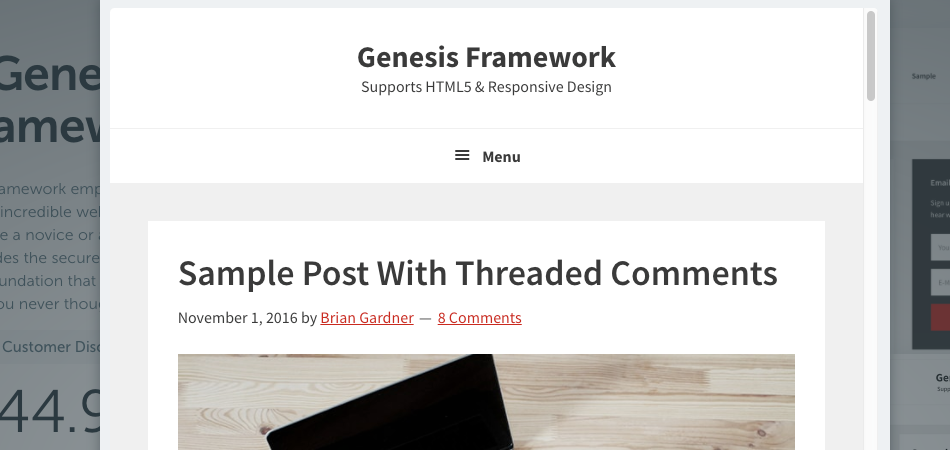
Do you want to remove the “Menu” label from your responsive menu in Genesis?
A lot of people just want to keep the hamburger menu without showing any text label alongside it. Savvy internet users are familiar with the hamburger menu; however, others might have trouble figuring out the menu on responsive sites. That’s the reason many theme builders prefer to add a MENU label alongside the hamburger menu.
If you want to remove it from your Genesis theme, follow the step below.
The ‘Menu’ is from the script localization in functions.php. Look in this file around line 44 for the output_array. Delete the word menu, but leave the empty quote marks.
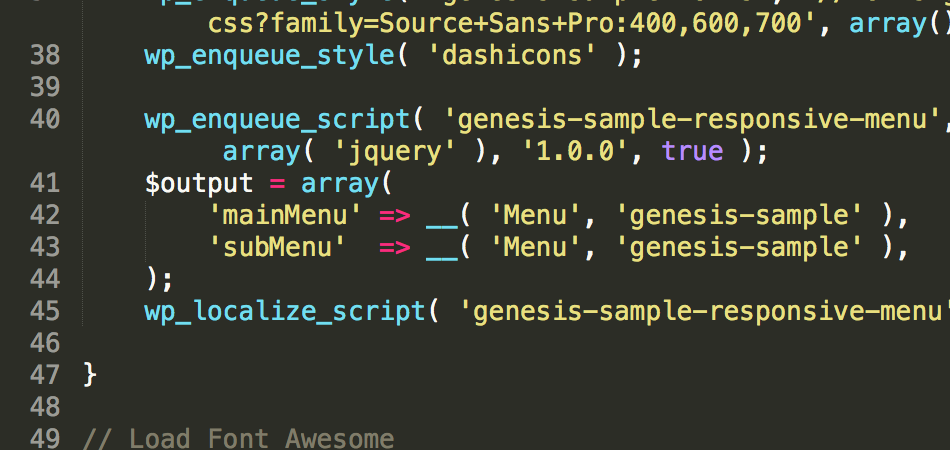
Change this:
$output = array(
‘mainMenu’ => __( ‘Menu’, ‘genesis-sample’ ),
‘subMenu’ => __( ‘Menu’, ‘genesis-sample’ ),
);
To This:
$output = array(
‘mainMenu’ => __( ”, ‘genesis-sample’ ),
‘subMenu’ => __( ”, ‘genesis-sample’ ),
);
Removing “MENU” in Genesis 3.0.0
Step #1: Via FTP, Go to: wp-content/themes/genesis-sample/config
Step #2: Click open the responsive-menus.php file
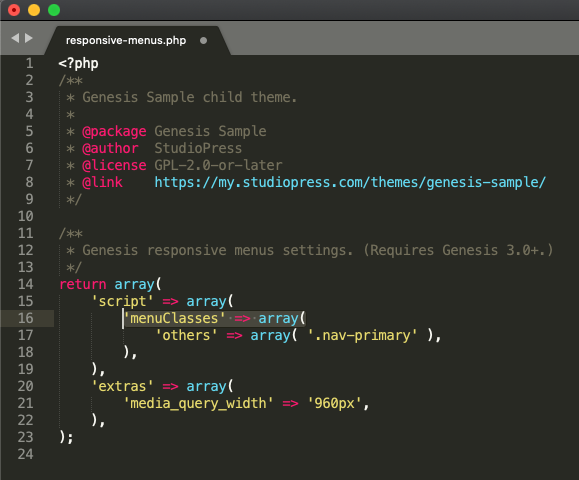
Step #3: You should see the following code in that file
Step #4: Replace the code with the following snippet
https://gist.github.com/topleague/bfd51820ce3a21c0e3dfe919ede55343
That’s it. Save your changes and refresh your page on a mobile device.
Explanation: As you can see, we essentially insert one line of code 'mainMenu' => __( '', 'genesis-sample' ) before 'menuClasses' => array(
Removing “MENU” in Genesis 3.3.5
Go to genesis-sample/config/responsive-menus dot php file. Comment out the existing code and paste the code mentioned in the previous step. Alternatively, paste the code given below.
https://gist.github.com/topleague/dcf61f2689469206609c3bd95671af10
Credit: Designody
Comments
5 responses to “Remove Word “MENU” from Mobile Menu in Genesis 3.3.5”
After Genesis 3.0 update, this method does not work anymore. I tried to find above mentioned code but it’s not there.
I updated the guide. Please, take a look and let me know. Thanks!
Working properly And parfect thanks for sharing.
This no longer works in Genesis Version: 3.3.5 Sample Theme. There is no code in the config > responsive-menus.php that looks like this anymore. Only code in that file now is:
return [
‘script’ => [
‘menuClasses’ => [
‘others’ => [ ‘.nav-primary’ ],
],
],
‘extras’ => [
‘media_query_width’ => ‘960px’,
],
];
Thanks for bringing this to my attention! The tutorial is updated! Cheers,